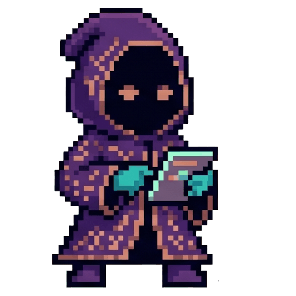
Meetings should end with a list, not a recording.
NoteSage listens, finds the commitments people actually made, and files them where the work already lives. The transcript stays on your machine — your models, your keys, your data path.
macOS & Windows · Runs offline · No telemetry · No bot joins your call
Localized build is basically done — I'll push it to the alpha channel Thursday.
Good. Before that, can we do the design review Tuesday at ten? I want Dan on it.
Sure. I'll write up the offline-mode findings and drop them in the sprint doc.
Works for me.
Integrations
In from the call. Out to the tools.
NoteSage picks up the call you were already on and puts the resulting tasks where your team will see them. Your own AI tools can read straight from it, over a server that never leaves your machine.
- ZoomAuto-detected
- Microsoft TeamsAuto-detected
- Google MeetCalendar-linked
- SlackHuddles
- WhatsAppCalls + voice notes
- FaceTimeNative macOS
- Google CalendarEvents + invites
- NotionDatabase rows
- SlackChannel digest
- LinearIssues
- AsanaTasks
Shipping Google Calendar connects today.Roadmap The rest follow — dashed tiles are not built yet.
- ClaudeDesktop & Code
- CursorEditor context
NoteSage runs a local MCP server on your own machine. Connected clients reach it over loopback and can read every note and transcript — so they see exactly what you would, and nothing is uploaded to reach them.
AI powered desktop meeting app
NAAICO NoteSage puts you in control of your AI providers, meeting data, and privacy settings.
Every meeting ends as a list
NoteSage extracts the commitments — owner, task, due date — and files them to your calendar, docs, or channels. Speaker separation runs on-device, which is what lets an item say “Priya” instead of “someone”.
BYO providers
Connect OpenAI, Claude, Gemini, Groq, Azure, or local Whisper and Parakeet — use what you already pay for.
Privacy by default
No telemetry, no bot joining your call, and optional cloud sync. Your audio and data stay under your control.
Features
Built for people who talk for a living
Action items, not transcripts
SageTasks reads the meeting and pulls out the commitments — who said they would do what, and by when.
Filed where you work
Route each item to a calendar event, a database row, or a channel digest. One destination or several.
Dictate anywhere
One global hotkey. Speak, and the text lands at your cursor — Mail, Figma, a terminal, anywhere.
Your providers
OpenAI, Claude, Gemini, Groq, Azure — or Whisper, Parakeet and llama.cpp with the network off.
Bring Your Own Providers
Connect the AI and transcription services you already use and pay for. Run Whisper and Parakeet locally for fully offline processing.


Plus local Whisper, Parakeet, and llama.cpp — no cloud required.